


Buff Store
The Buff Store turns a support character into a shop that sells its buffs, dances, songs and heals to the rest of the server — and it keeps selling even while the owner is offline.
Getting to a store
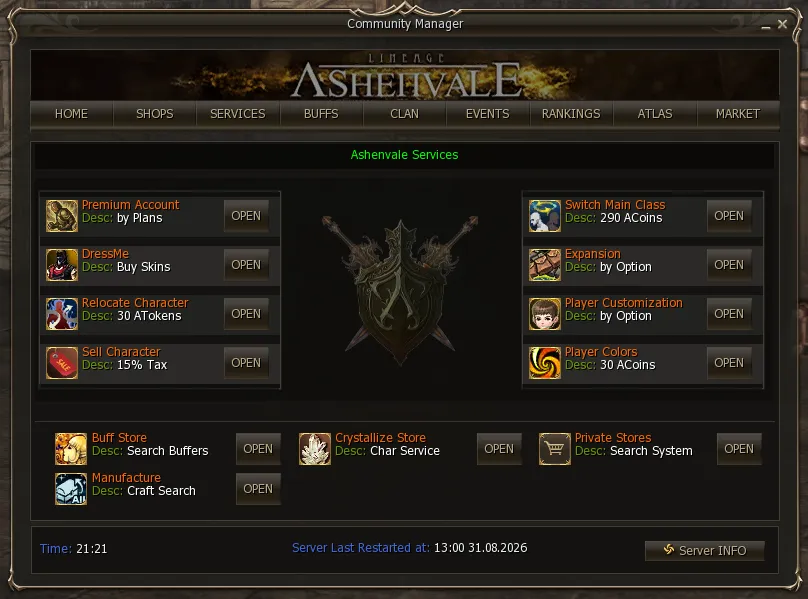
Section titled “Getting to a store”There are two ways. The direct one is to click the character who is in Store mode, like any private store. The other is the system listing, in the Community Board (alt+b) → Services → Buff Store, at the very bottom.
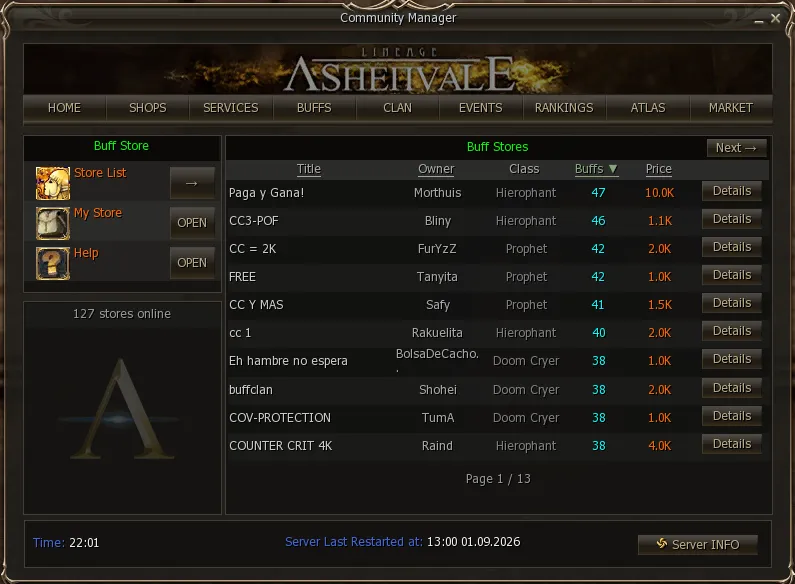
From there you see every open store on the server, with its title, owner, class, how many buffs it sells and at what price. The lists sort by clicking the header of any column, ascending or descending, so you can go straight to the lowest price or to the store offering the most buffs.
Details opens that store’s sheet: the caster’s level, how much MP they have left, how many buffs they offer, the price, the fee and which town they are in.
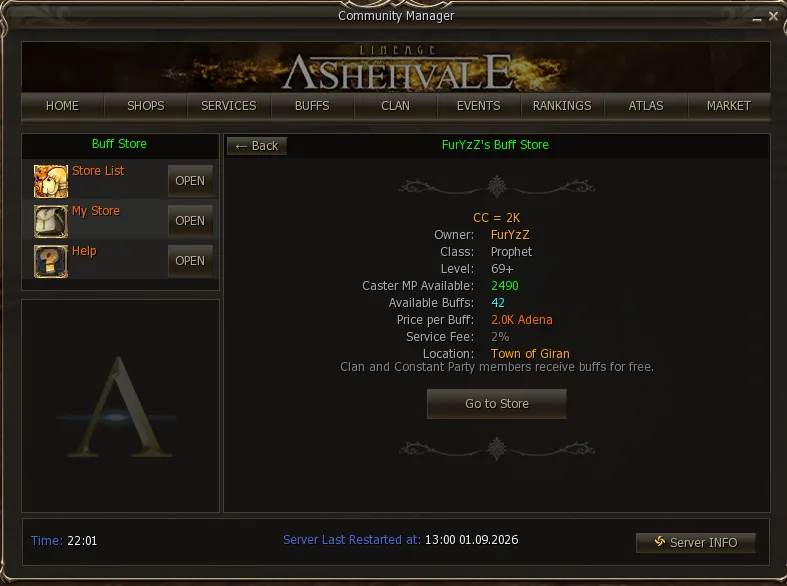
The Go to Store button
Section titled “The Go to Store button”It is the system’s shortcut: it teleports you to the town where the store is if you are not there, and then walks you to the character and opens the window. No hunting through the crowd.
The buying window
Section titled “The buying window”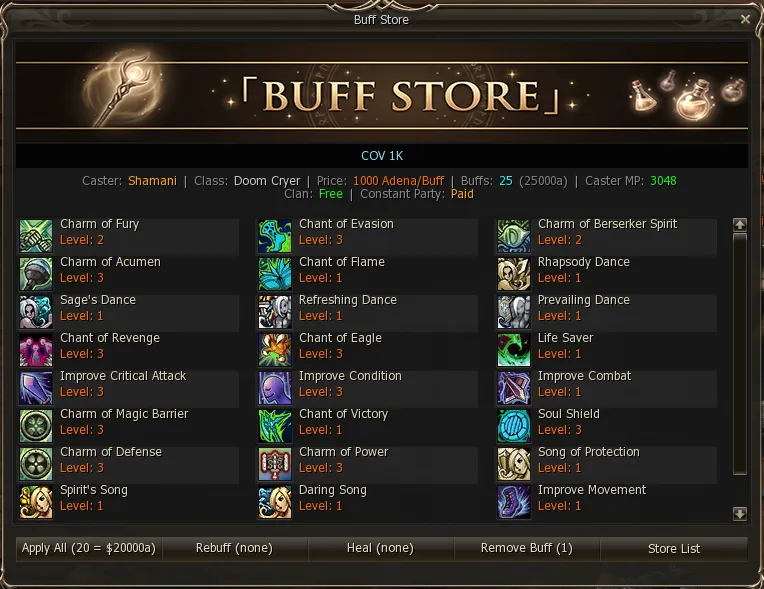
Everything you need to know before spending is up top: the caster and their class, the price per buff, how many buffs they sell and what the lot costs, the MP they have left, and whether clan or Constant Party members get them free or pay.
The list shows each buff with its icon, name and level. Hovering over one brings up the full skill description, the same one you see on your own skill bar.
Below, the five buttons:
| Button | What it does |
|---|---|
| Apply All | Buys every buff in the store at once. The button shows how many there are and the total. |
| Rebuff | Re-applies only the ones you already had that ran out. |
| Heal | Restores HP, MP and CP, if the store offers them. |
| Remove Buff | Strips the buffs you are carrying. The number in brackets is how many. |
| Store List | Back to the store listing. |
If you walk away
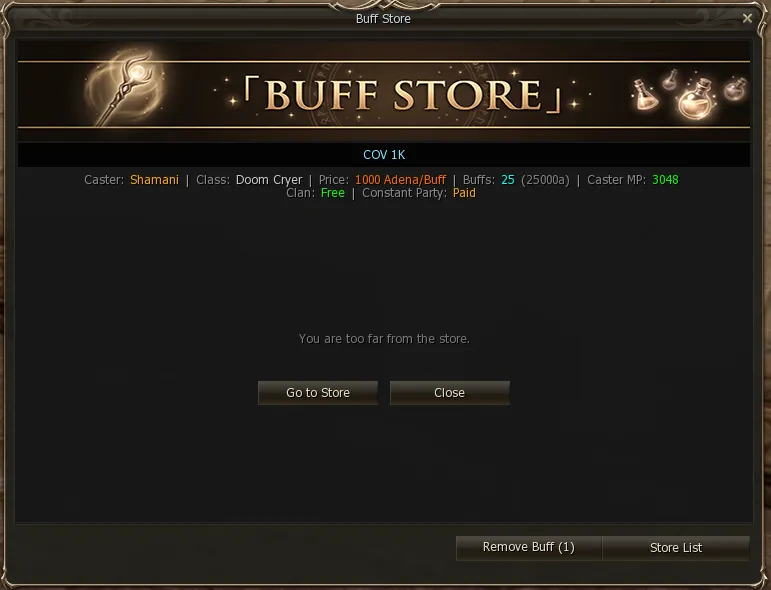
Section titled “If you walk away”The window closes on its own when you get further than 250 from the seller. If you move while it is open, it warns you first and gives you the choice: Go to Store to come back, or Close.
The caster’s MP
Section titled “The caster’s MP”This is the detail that confuses people most, and it is worth checking before you buy.
The seller pays for each buff with their own MP, the same cost as casting it normally. Their MP is neither infinite nor instantly regenerated, so a busy store runs dry.
What happens then:
- If you ask for a buff and they do not have the MP, that buff is not cast and you get told: “The store has no MP left for that buff.” You are not charged.
- With Apply All, you get every one they can manage and it tells you which ones missed out: “12/25 buffs applied — store out of MP”, with the list of what was left over.
That is why both the store’s sheet and the window show Caster MP in plain sight. If you are buying the full package, check they have MP to spare — or wait for it to come back.
Setting up your own store
Section titled “Setting up your own store”Only support classes can open one — the ones that give buffs, dances or songs. It is managed from the same panel, under My Store.
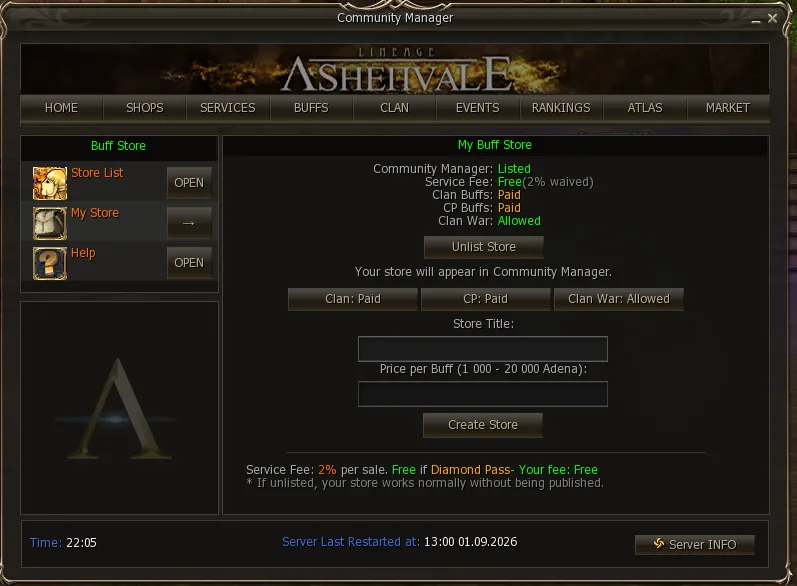
You pick a title and a price per buff, anywhere between 1.000 Adena and 20.000 Adena, and press Create Store.
The three toggles
Section titled “The three toggles”| Toggle | What it is for |
|---|---|
| Clan | Charging your clan members or not |
| CP | Same for your Constant Party |
| Clan War | Allowing or blocking players from a clan at war with yours |
The first two are your call: the server does not force them.
The fee
Section titled “The fee”The system keeps 2% of every sale for listing your store. With Diamond Pass it is waived: the panel shows it as Your fee: Free.
And if you would rather not appear in the listing, Unlist Store takes you out of it: the store keeps working exactly the same for anyone who clicks you in the world, and with no fee.
Where you can set up
Section titled “Where you can set up”In any peace zone — there is no longer a fixed spot per town. The only exceptions are the Dion racetrack, the Giran harbour and the no-trade zones in Giran and Aden.
On top of that there are two distances to respect, the same as for a private store: 50 from any other store and 130 from an NPC.
Other conditions: you cannot open in combat, and the system’s level cap is 86.
Selling while offline
Section titled “Selling while offline”With the store already set up, the .offline command leaves it running and disconnects you. Your character stays there selling with their name in a different color, and the adena piles up all the same.
To close it, open the panel again and use Stop.