


Dressme
What is Dressme
Section titled “What is Dressme”Ashenvale’s cosmetic skin system, known within the server as “DRESSME”, lets you cover your gear with the look of another, without changing any stat. There are four dress types: armors, cloaks, mounts and agathions.
You reach it through the community board (alt+b), Services section, DressMe button:
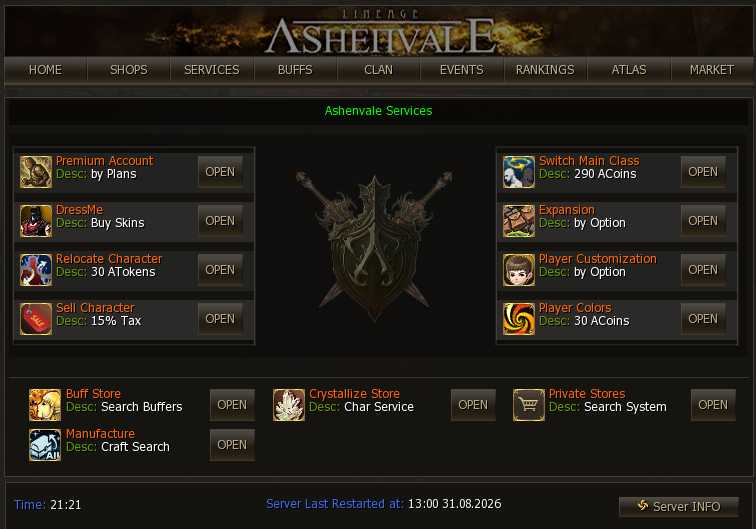
That opens the system’s main menu, with one section per type:
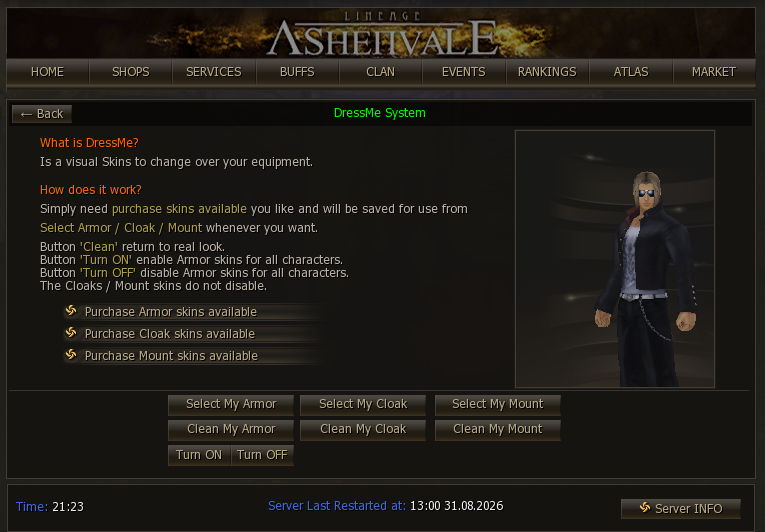
The four sections
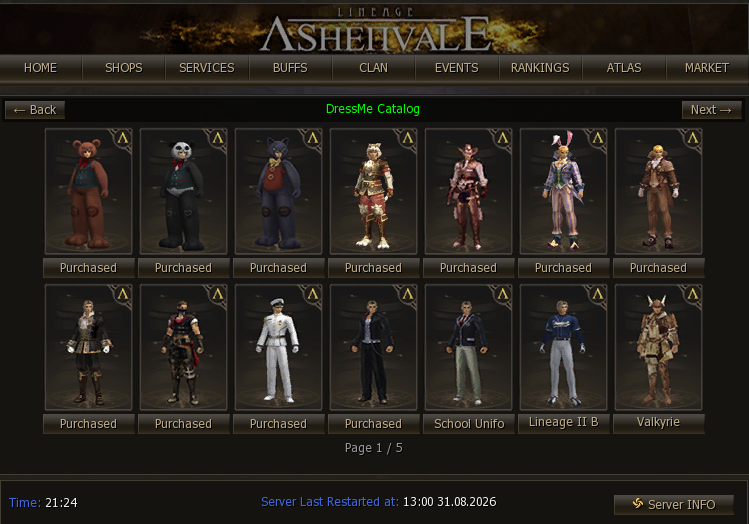
Section titled “The four sections”Armor dress — skins that cover the full set:
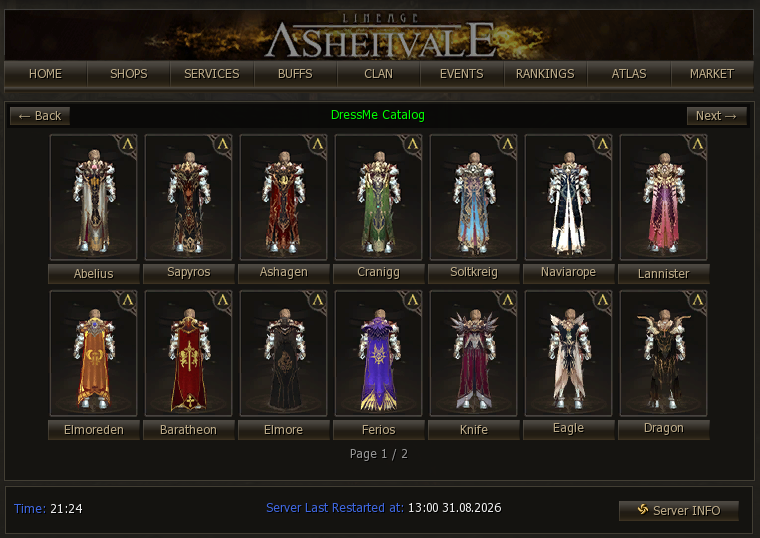
Cloak dress:
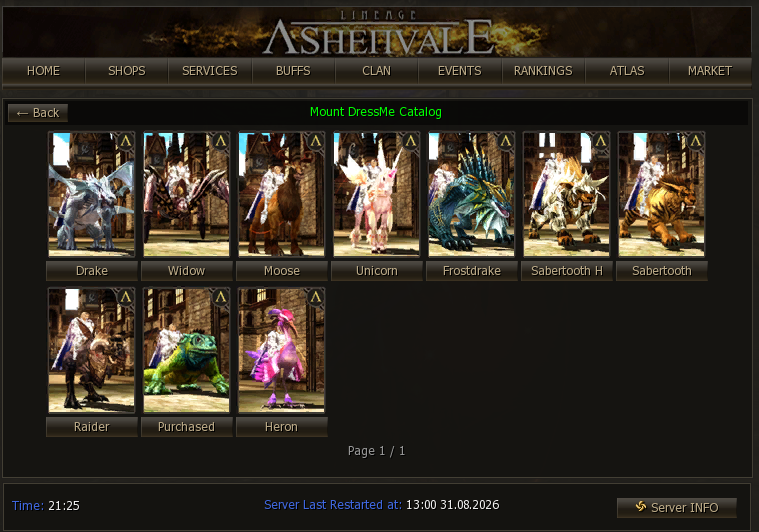
Mount dress:
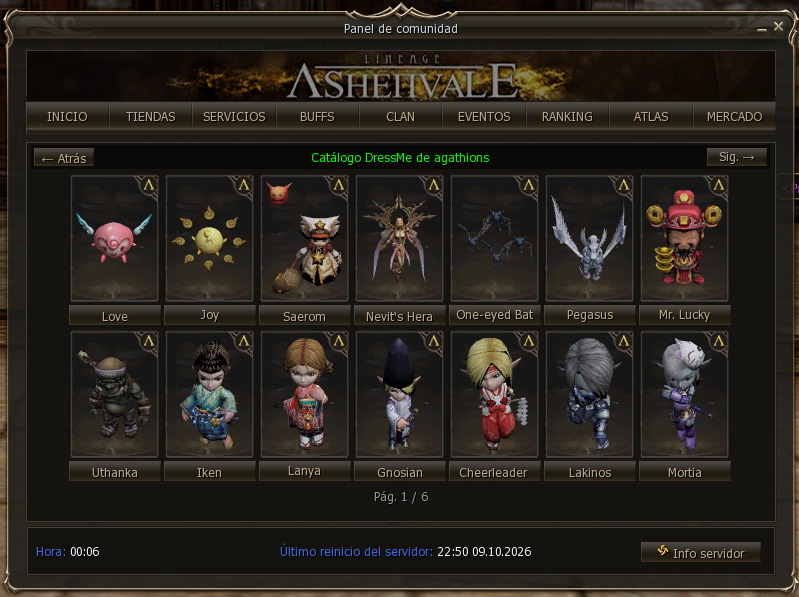
Agathion dress: the agathion that follows you takes the look of another. The price depends on its rarity: common, rare or epic.
Catalogs and prices
Section titled “Catalogs and prices”Skins are cosmetic only: they do not change stats. Prices and number of skins per catalog:
| Catálogo | Skins disponibles | Precio |
|---|---|---|
| Armaduras | 65 | 100 / 200 / 250 / 150 Ashenvale Coins |
| Capas | 42 | 35 / 50 Ashenvale Coins |
| Monturas | 10 | 100 Ashenvale Coins |
| Agathions | 82 | 25 / 50 / 100 / -1 Ashenvale Coins |
One detail to keep in mind: if your armor is enchanted and glows, the skin will glow too.
Functions
Section titled “Functions”- Select: choose the skin you want to wear. Purchased outfits are saved on the character and you can switch them as often as you like.
- Clean: it is inside each collection, for example Clean My Armor. It removes the skin you wear, and you are shown with your real gear.
- Preview: while a preview is showing, your character does not move; you can move again when it ends.
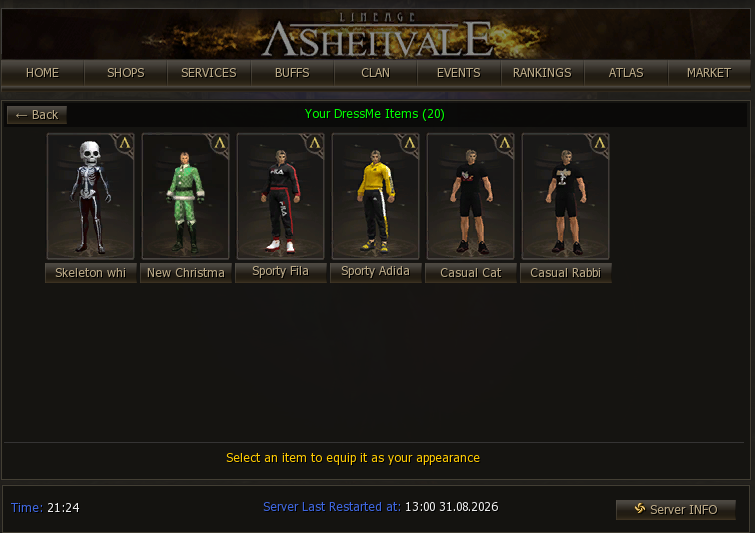
This is your armor collection, with the skins you bought and the Clean My Armor button at the bottom right. They stay saved on the character and you can swap them whenever you want:
Choosing whose armor dressme you see
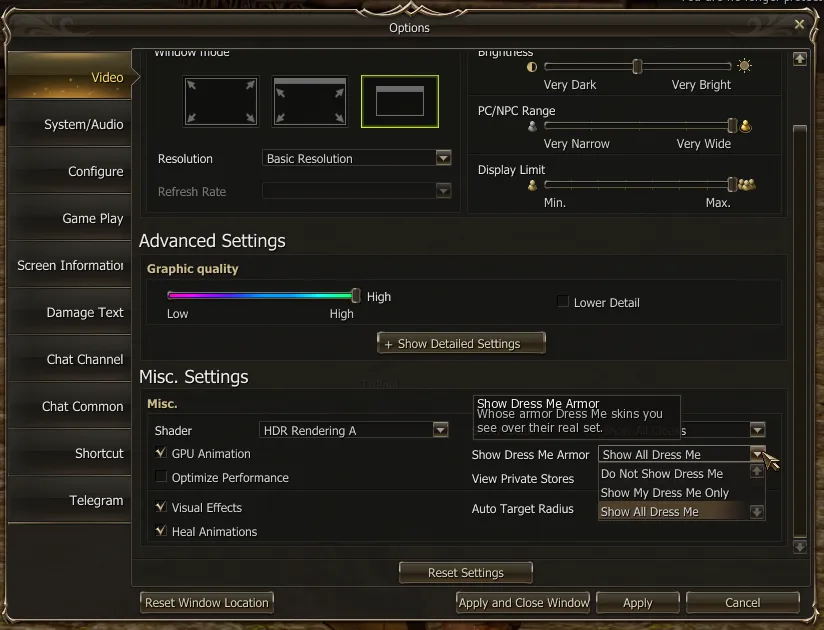
Section titled “Choosing whose armor dressme you see”Each player chooses which armor dressme to see: everyone’s, only their own, or nobody’s. For gameplay reasons, the armor dressme can be turned off: we know this is a Classic server and some players prefer to read everyone’s real gear. It used to be a Turn ON / OFF button in this menu; now it lives in Menu → Options → Video → Show Dress Me Armor, with three options:
| Option | What you see |
|---|---|
| Show All Dress Me | Everyone’s armor dressme (default). |
| Show My Dress Me Only | Only yours, when you wear it; everyone else shows their real armor. |
| Do Not Show Dress Me | Nobody’s, not even yours. |
- It changes only what the player who picks it sees. It does not hide your dressme from others: players on Show All still see your skin.
- It applies instantly, no relog needed.
- Besides the visual side, not loading other people’s skins takes load off your graphics card in crowded areas. See the rest of the Ashenvale graphics options.