


Character Buying & Selling
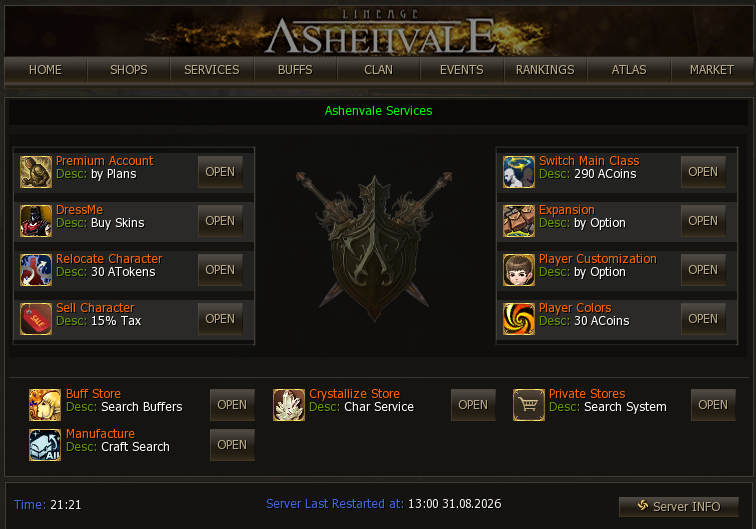
The character buying and selling service, known on the server as “SELLCHAR”, is a system that lets you put one of your own characters up for sale for Ashenvale Coins and buy the ones other players list — with everything they are carrying, out in the open and inside the game. You reach it through the community (alt+b), Services section, or with the .sellchar command (it opens the same form; .stopsellchar pulls the character off sale).
How it works
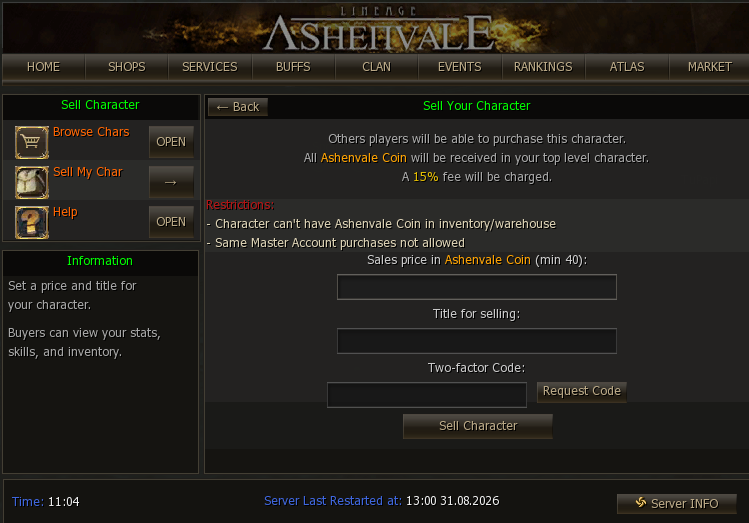
Section titled “How it works”- The minimum selling price is 100 Ashenvale Coins and the server’s fee is 15%. Characters below level 50 have a minimum of 40 Ashenvale Coins.
- Payment is credited at the moment of the sale and goes to the highest-level character on the account of the character being sold — which is why the system requires at least 2 characters created on it. It is the player’s responsibility to have that character available to receive the coins.
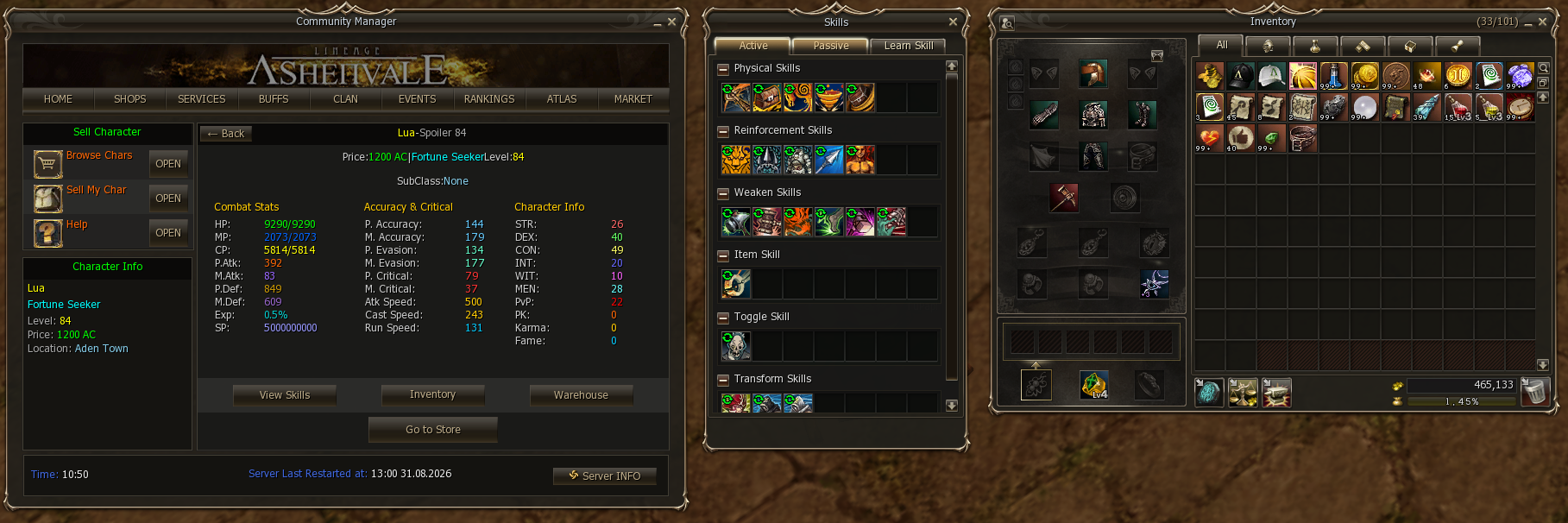
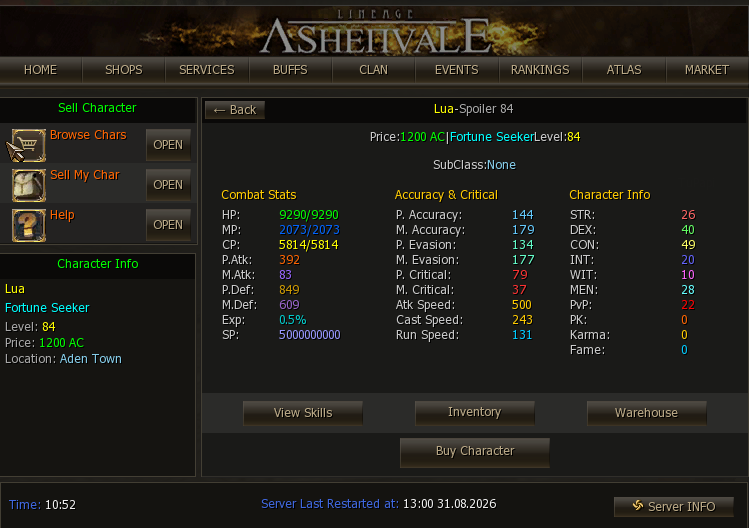
- The character is sold with everything it has: inventory, warehouse and learned skills. The buyer can inspect all of it before buying.
- The sale store is set up in Giran, behind the Gatekeeper, at the bottom of the stairs (a peace zone, away from other stores). Once seated, the character stays listed even if the seller disconnects, for up to 7 days.
For safety, confirming the sale asks for a two-factor code sent to the account’s email.
Items that cannot go with the sale
Section titled “Items that cannot go with the sale”Because they are account-bound items, a character cannot be put up for sale while holding Ashenvale Coin, Aden Talisman — and the check is thorough: they cannot be in the inventory, in the warehouse, or sitting in the email tray. You have to move them to another character on the account (or take them out of the mail) before listing.
Buying a character
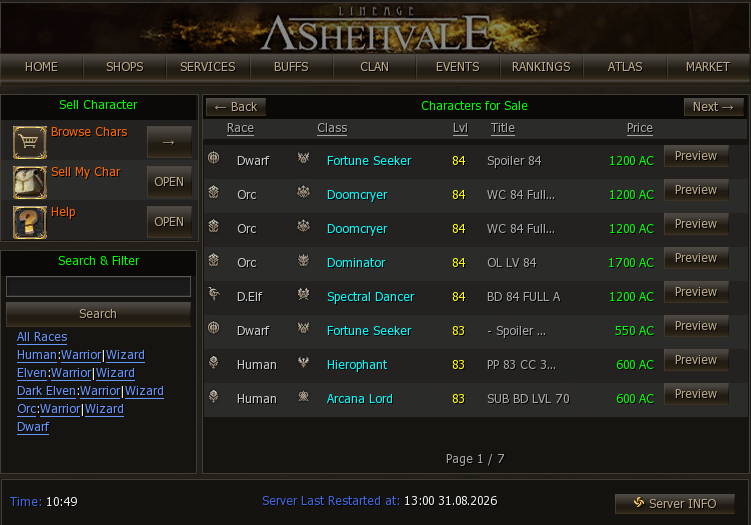
Section titled “Buying a character”Browse Chars shows the list of characters for sale, with their race, class, level, title and price:
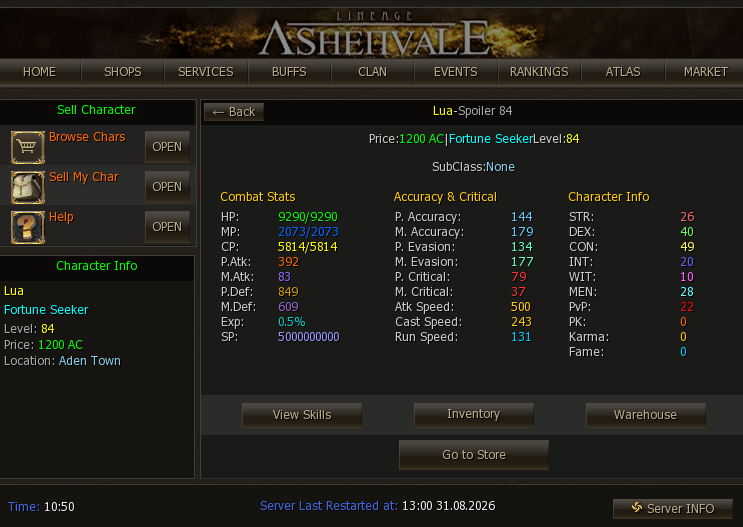
Preview lets you examine the character thoroughly: their combat stats, PvP/PK, and with the View Skills, Inventory and Warehouse buttons you can go through everything they know and everything they carry — exactly what the buyer receives:
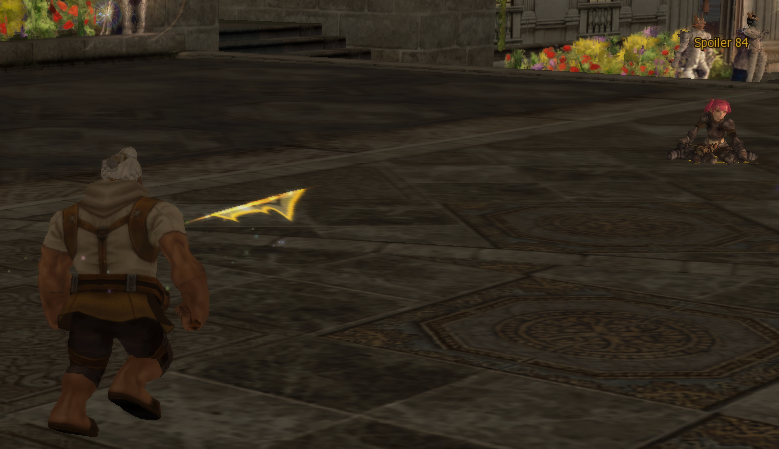
Standing in front of the character — or if you stumbled across them and inspected them from there — the Buy Character button appears to close the purchase:
Things to keep in mind as a buyer
Section titled “Things to keep in mind as a buyer”Moving one of your own characters? That is Relocate Char
Section titled “Moving one of your own characters? That is Relocate Char”If it is the same player and the point is to move a character between your own accounts, the right service is Relocate Char: it works inside the same master account and never exposes the character for sale to other players.
Selling a character
Section titled “Selling a character”In Sell My Char you set the price in Ashenvale Coins and the listing title, and confirm with the two-factor code (the Request Code button sends it to you). The window reminds you of the restrictions before you list:
- Clan leaders cannot be sold.
- It is a bad idea to put several characters from the same account up for sale at once: if one sells, the coins go to the highest-level character left — and if that one is also on sale, the coins from both sales are lost. The server does have protection mechanisms so that SellChar works properly, but common sense also says not to try listing every character on the account, nor to move the last character that is not on sale to another account.