

Crystal Store
The Crystal Store puts a dwarf in shop mode, crystallising the rest of the server’s gear for a fee. From the side of whoever needs crystallising, it is a listing where you look for a shop that reaches your item’s grade and go there.
Finding a shop
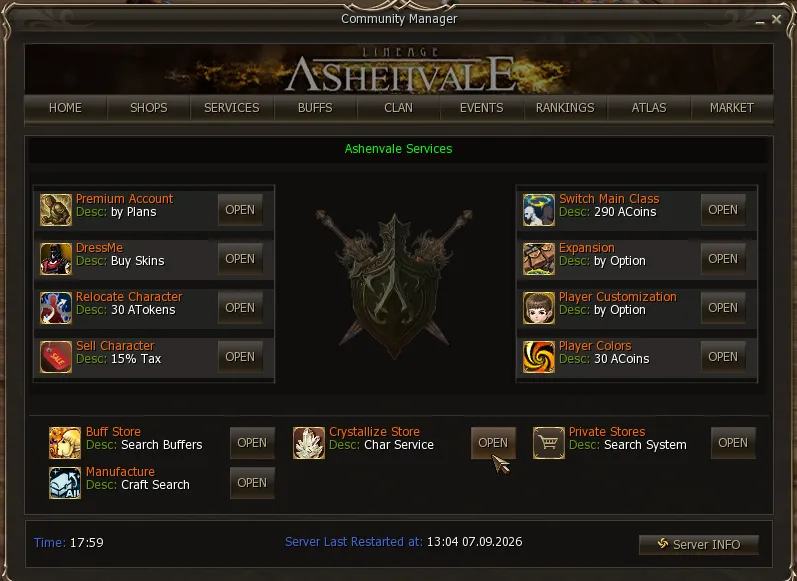
Section titled “Finding a shop”In the Community Board (alt+b) → Services → Crystallize Store, at the bottom.
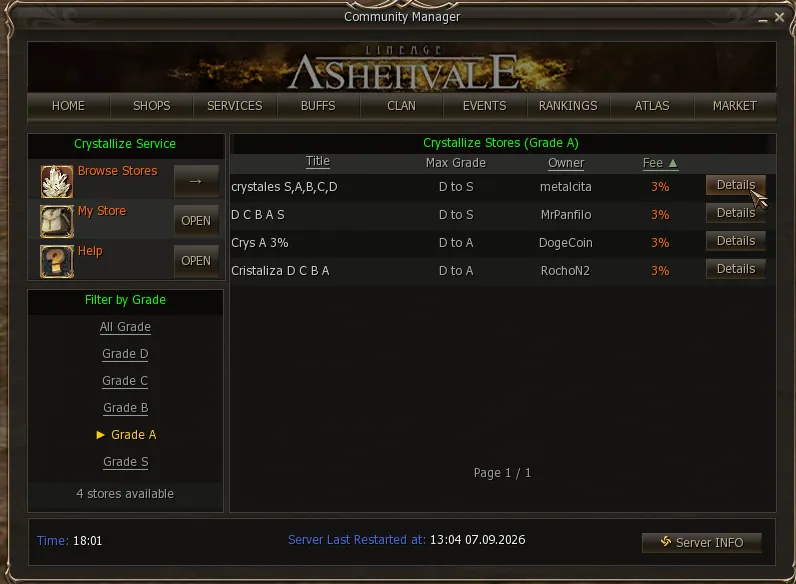
Browse Stores opens the listing of every open shop, with its title, the maximum grade it crystallises, the owner and the fee. The lists sort by clicking the header of any column, ascending or descending, so you can go straight to the lowest fee, and filter by grade with the panel on the left.
Grade is what matters: a shop only crystallises as far as its owner’s skill level allows. If the item is A-grade, a shop that reaches B is no use. That is what the Filter by Grade on the left is for — it shows only the shops that crystallise the grade you need.
 Crystal (D-grade)
  Crystal (C-grade)
  Crystal (B-grade)
  Crystal (A-grade)
  Crystal (S-grade)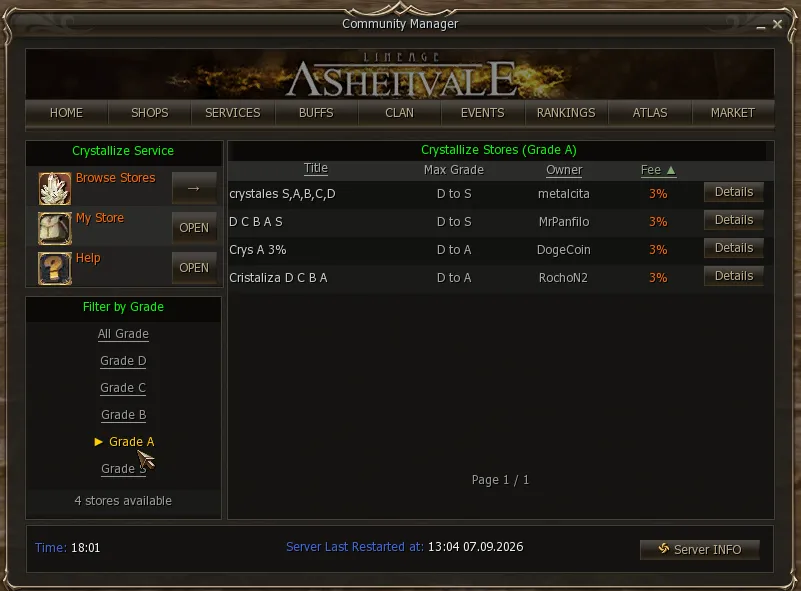
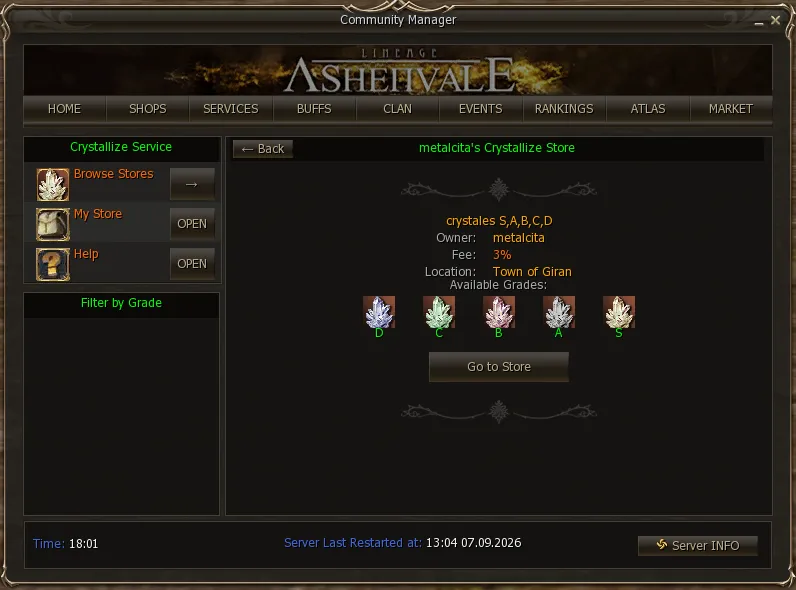
Details opens that shop’s card: the owner, the fee, which town it is in and the grades it crystallises, one by one.
The Go to Store button
Section titled “The Go to Store button”It is the shortcut to get there: it teleports you to the town where the shop is and then walks you to where it is set up, so you do not have to pick the dwarf out of a crowd.
Two things to keep in mind, because it is an ordinary teleport:
- It costs the same as any teleport to that town. It is not free for being part of the service.
- Your character must not be restricted from teleporting. If you cannot use a GK at that moment —in combat, in a fight, with karma, in a zone that does not allow it— this button will not work either.
Setting up your own shop
Section titled “Setting up your own shop”What character you need
Section titled “What character you need”The skill is  Crystallize , and only dwarves learn it. How far each one crystallises depends on the skill level, and the skill level on your character level:
| Class | Character level | Skill | Crystallises up to |
|---|---|---|---|
| Scavenger / Artisan | 20 | Crystallize Lv. 1 | D |
| Warsmith | 40 | Crystallize Lv. 2 | C |
| Warsmith | 52 | Crystallize Lv. 3 | B |
| Warsmith | 60 | Crystallize Lv. 4 | A |
| Warsmith | 70 | Crystallize Lv. 5 | S |
| Maestro | 80 | Crystallize Lv. 6 | S |
The Scavenger and the Artisan learn the first level at 20 and stop there: to go up in grade you have to be a Warsmith, who takes it from 40 to 70, and the last level comes with Maestro at 80.
Setting it up
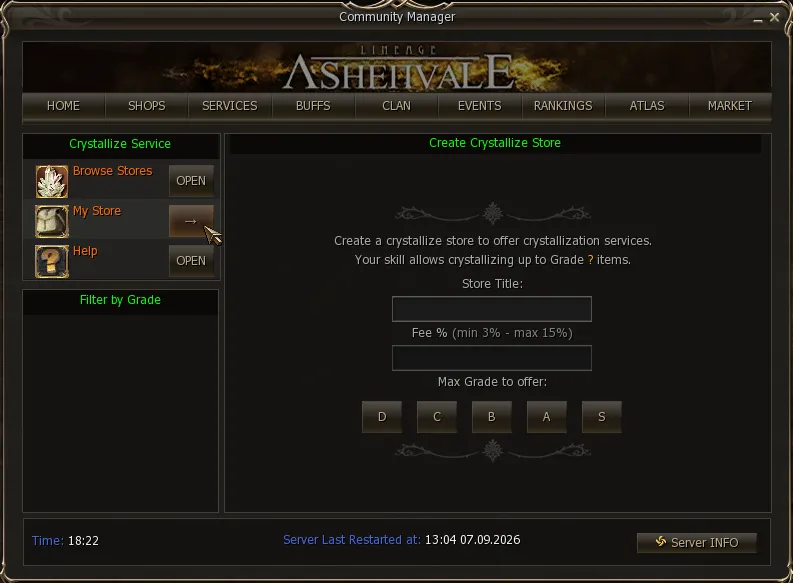
Section titled “Setting it up”It opens from My Store, or with the .crystalstore command. You choose a title, the fee —between 3% and 15%— and up to which grade you offer, which cannot go past what your skill gives you.
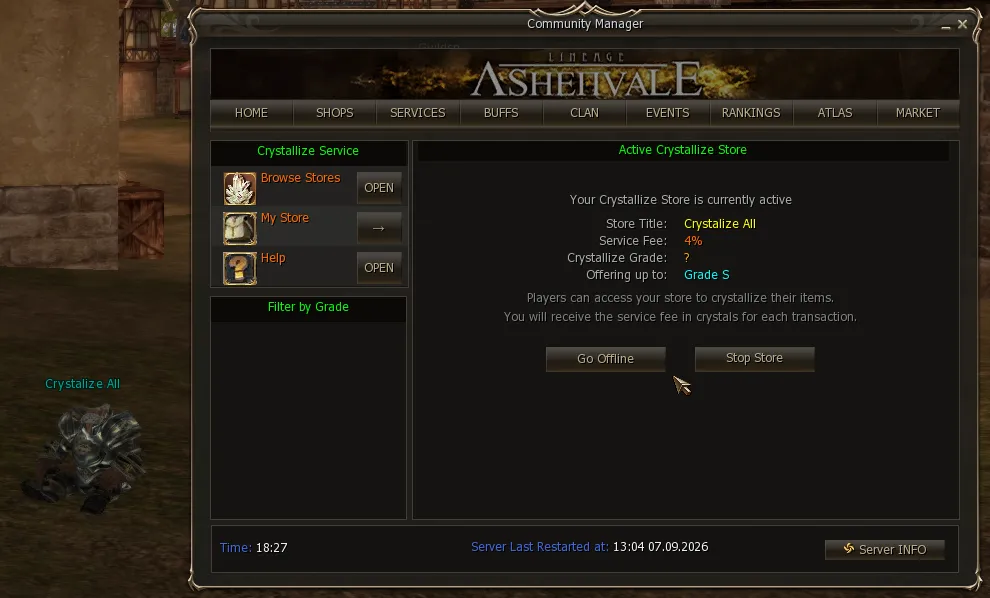
With the shop running, the panel shows how it ended up and that is where you manage it: Go Offline to leave it trading with the game closed, or Stop Store to take it down.
The rest worth knowing:
- With Go Offline —or by typing
.offlinein chat— it keeps crystallising with the game closed for up to 7 days. That frees the client so you can log in with another account, and does not take up a connection slot with the dwarf standing there. - The fee is charged in crystals: on each transaction you keep that percentage of the crystals the item gives.
Crystallising at a shop
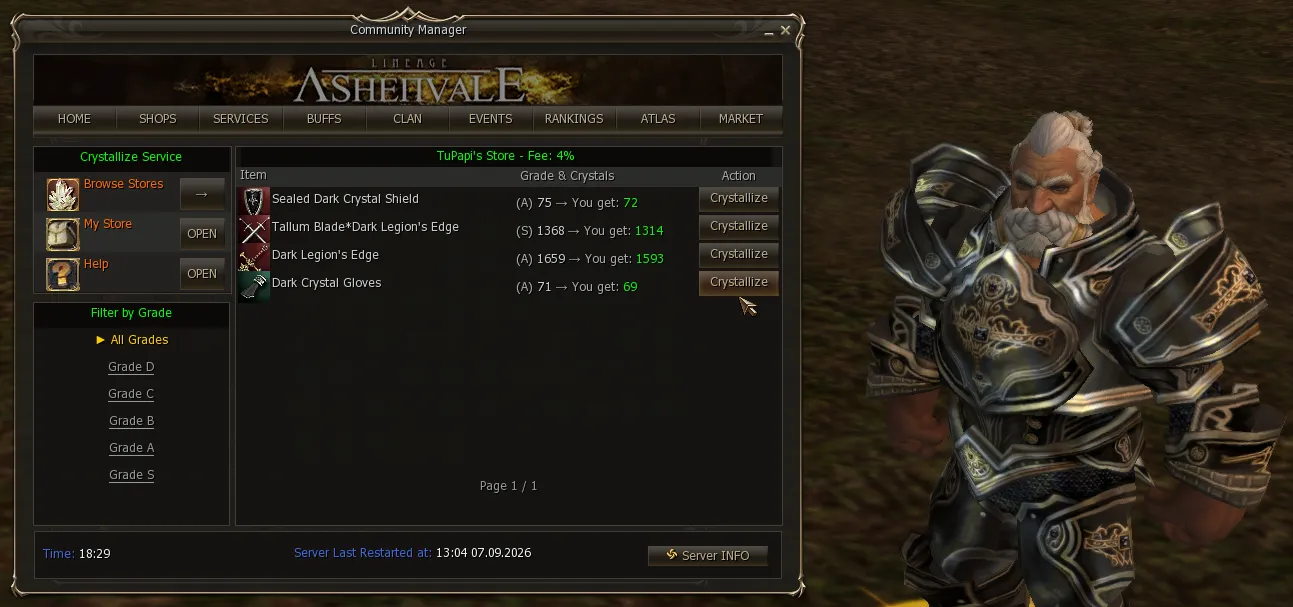
Section titled “Crystallising at a shop”From the customer’s side, the window lists the items you have to crystallise and, next to each one, how many crystals it gives and how many you get once the fee is taken off. The grade filter on the left helps when there is a lot.
This system is just getting started and, like everything, we improve it bit by bit.